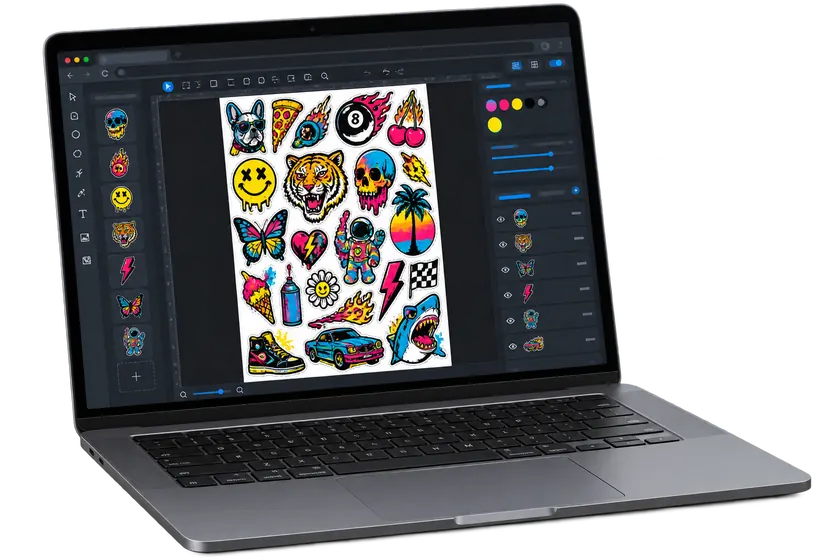
A full-color process that uses heat to turn printed dye into a gas and permanently bond it inside polyester fibers. The finished print has no raised film or heavy layer—it becomes part of the white or light-colored garment.
Full colorZero print feelWhite + light polyesterPermanent in the fiber
Pro quality skip the wait
01
Color inside the fibers
Heat turns the dye into gas so it bonds with polyester instead of sitting on top.
02
Zero print feel
No vinyl layer, adhesive edge, or heavy hand—the fabric stays lightweight and flexible.
03
No weeding
Trim apart the transfers you need, place the printed side down, press, and reveal.
04
Built to stay bright
The image cannot peel or crack like a surface-applied transfer when pressed correctly.
Start here
Fresh Prints Press Tips
These are starting settings for polyester apparel sublimation. Heat presses and garments vary, so test an unfamiliar blank and follow its manufacturer instructions.
Best garment100% POLYHigher polyester content produces stronger, brighter color.Temperature400°FConfirm the platen temperature before production.Press time45 SECUse one complete press without opening early.PressureMEDIUMUse smooth, even pressure across the full image.Reveal methodLIFT PAPEROpen the press and remove the paper without sliding it.
Before you press: mirror the artwork, place the printed side face-down, lint-roll and pre-press the shirt, then protect both the inside and top of the garment with clean blowout paper.
Four-step application
Press it right the first time.
The repeatable workflow for crisp color, a clean reveal, and no ghosting.
01
Prep the garment
Use a white or light polyester shirt. Place clean blowout paper inside, lint-roll the print area, then pre-press for 3–5 seconds to remove moisture and wrinkles.
02
Position face-down
The artwork was printed mirrored on the underside, so the paper should look plain white from above. Center it printed-side down and secure it with heat-resistant tape.
03
Cover + press
Cover the transfer with a fresh sheet of blowout paper. Press at 400°F for 45 seconds with medium, even pressure. Keep seams, collars, and buttons outside the press area.
04
Lift + reveal
Open the press, remove the top protective sheet, and lift the transfer paper straight away without dragging it across the shirt. Let the garment cool flat before handling.
Do this
Build a repeatable press routine.
Choose white or light garments with high polyester content.
Mirror the artwork before printing.
Lint-roll and pre-press every shirt.
Use clean blowout paper inside the shirt and over the transfer.
Tape the paper so it cannot shift and cause ghosting.
Avoid this
Do not guess through a failure.
Do not expect bright results on cotton or dark fabric.
Do not forget that sublimation ink has no printed white.
Do not press over collars, seams, buttons, or zippers.
Do not slide the hot paper across the shirt—it can create a ghost image.
Do not reuse blowout paper after it has absorbed ink.
After pressing
Keep the color fresh.
COOL FLATLet the shirt cool without folding the print.
INSIDE OUTWash cold with similar colors.
LOW HEATTumble dry low or air dry when possible.
FOLLOW THE BLANKUse the garment maker's care instructions.
Choosing a selection results in a full page refresh.


 01
01
 02
02
 03
03
 04
04